Recover deleted iPhone photos on a Windows PC
The short answer: to get deleted iPhone photos back on a Windows PC, install Apple's free Apple Devices app (it brings the driver Windows needs), connect the iPhone by cable, tap Trust, and use a recovery app that reads the phone directly. RetrievalP reads the iPhone's image cache, where previews of photos deleted for good are often still kept, and saves everything in Recently Deleted too.
What you need
- A Windows 10 or 11 PC (64-bit).
- Your iPhone, its USB cable, and its passcode.
- Apple's Apple Devices app from the Microsoft Store, or iTunes from apple.com. You don't need to use it, but it installs Apple Mobile Device Service, without which Windows can't talk to an iPhone.
- Free disk space for what you save.
Step 1: connect the iPhone and trust the PC
Plug the iPhone in and unlock it. When it asks Trust This Computer?, tap Trust and enter your passcode. If it never asks, open the Apple Devices app once with the phone connected. If Windows still doesn't see the phone, try another cable or USB port, and avoid USB hubs.
Step 2: look at what Windows can already see
In File Explorer, the iPhone appears as Apple iPhone with an Internal Storage folder. That's the camera roll: only photos still in your library, not deleted ones. The Windows Photos app's Import shows the same. Neither can show Recently Deleted or anything deleted for good.
Step 3: scan for deleted photos
- Download RetrievalP for Windows and install it.
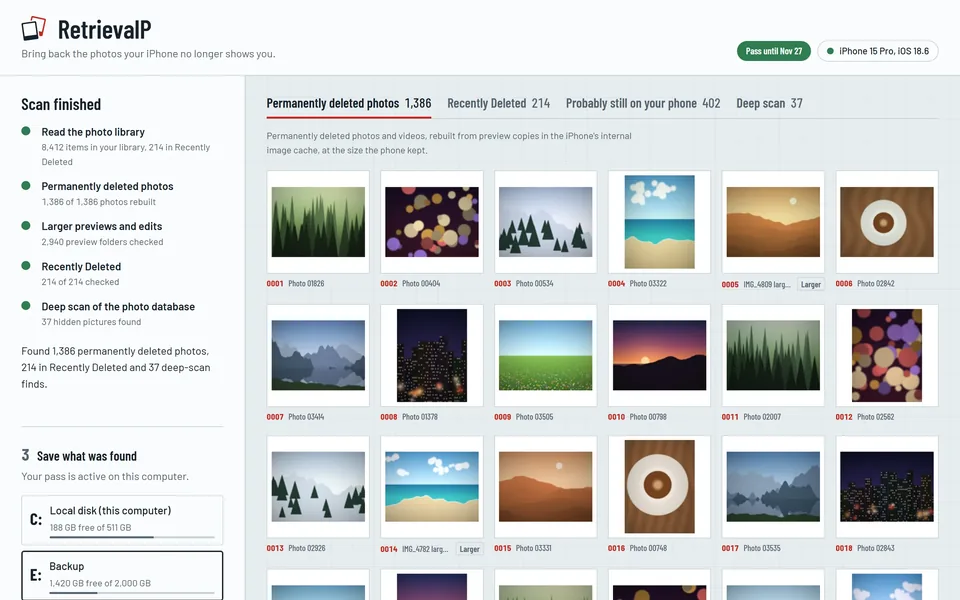
- Open it with the iPhone connected and unlocked, and start the free preview scan. It only reads from the phone; nothing on it is changed or deleted.
- In a few minutes it shows how many deleted photos it found in the image cache, each as a coarse mosaic so you can spot the ones you want, and a few at real size so you can see what you'd get.
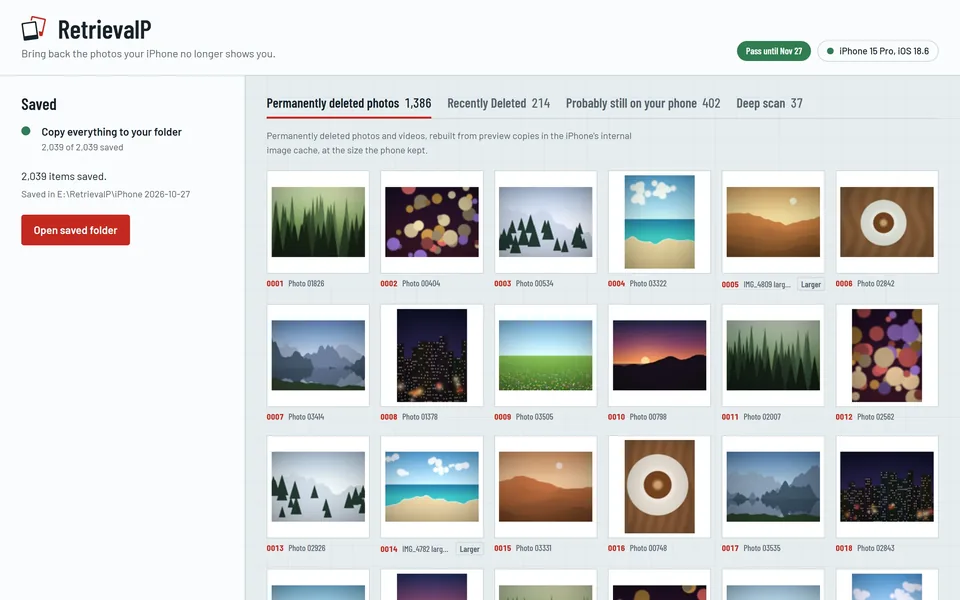
- If it found what you're after, a pass (€9.99, once, for one iPhone) runs the full scan and saves everything to a folder on your PC or an external drive, sorted into folders with a report of where each file came from.
Your photos are never uploaded: everything happens on your PC.
What comes back
- Photos deleted for good: preview copies from the image cache, at the size you saw them in your Photos grid. Clear for keeping and sharing, though not for enlarging or printing. Why the cache keeps them.
- Larger previews and finished edits, when the phone kept them: previews up to 640 pixels, edits at full size.
- Recently Deleted: full-quality originals with Live Photo motion and edits, saved in one go.
Why not use an iTunes backup?
A computer backup made before the deletion is still the best way to get full-size originals back, and if you have one, restoring it is worth considering. But a backup made after the deletion doesn't contain the deleted photos, so making a new one now won't help, and it can replace an older backup that still holds them.
More guides
- How to recover photos deleted from Recently Deleted on iPhoneEmptied Recently Deleted on your iPhone? The original is gone, but a preview copy often survives in the iPhone's image cache. What to check first, and how to get them back.
- How to recover deleted iPhone photos without a backupNo iCloud or computer backup? Where deleted iPhone photos can still be, step by step, and what no app can bring back.
- How long does Recently Deleted keep photos on iPhone?Recently Deleted keeps iPhone photos for about 30 days. How to find the album, recover photos from it, and what's left after it's emptied.
- The iPhone image cache: where deleted photos still hideHow the iPhone's internal image cache (.ithmb) keeps preview copies of photos after they're deleted for good, and how a computer reads them back.